
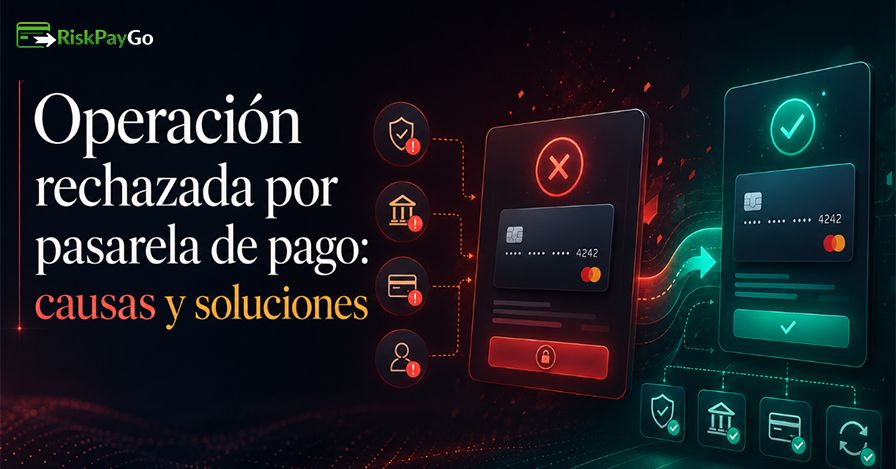
There is no message more frustrating than "operation rejected by payment gateway", without further explanation, and worse still, without knowing if the problem is yours, the bank's or the store's.
And you're not the only one. According to studies by the polling firm Thank you., Online payment rejection rates typically range between 10% and 20% on average. which results in billions of dollars being lost year after year.
But why does this happen, and how can we fix it? That's what today's article is about, as I'll tell you how you can avoid it, whether you're a price comparison site or you run your own online business.
What does "transaction rejected by payment gateway" really mean?

Let's get to the beginning. If you receive this message, it means that the payment gateway (such as Mercado Pago, Stripe, PayPal, Conekta, Openpay, etc.) The transaction was rejected before the money left your account or card.
It's not that the bank charged you and then refunded the money. The payment gateway simply didn't authorize the payment, so the transaction was never completed.
But the worst part of all this is that it negatively impacts the buyer's shopping experience, and according to data from Statesman, represents up to 30% of lost sales.
Main reasons why a payment gateway rejects a transaction
Getting right into the topic we came to analyze, below are the most common reasons why payment gateways reject most transactions:
1. Insufficient funds or card limit reached
This is the most basic and also the most common cause for debit card withdrawals. Insufficient funds failures account for between 15% and 25% of all rejections (Source: acciyo.com). Sometimes it's not a lack of money, but rather that you've reached the daily purchase limit that your card is configured to, something many users forget.
- Typical error code: 51 (Insufficient Funds).
2. Incorrect payment details
This is another common mistake. An incorrectly entered card number, the wrong expiry date, or an incorrect CVV code are responsible for between... 25% and 35% of rejections in online transactions.
One digit out of place is enough for the issuing bank to return an error.
- Typical error code: 14 (Invalid Card Number).
The most frequent errors when entering data:
| Error | What's happening? |
| Incomplete card number | The gateway detects invalid format |
| Incorrect CVV | The bank rejects the authentication. |
| Expiration date misspelled | The card appears as expired |
| Name different from the holder | You can activate fraud alerts |
3. Security blocks due to suspicious activity or fraud
Banks' anti-fraud systems monitor patterns in real time. Therefore, if they detect something unusual, such as a large purchase, a payment from a new device, or several transactions in quick succession, they immediately block the transaction as a precaution.
It's a common false positive that particularly affects frequent e-commerce shoppers. Fraud and security lock codes account for approximately 10%-20% of transactions rejected globally.
- Typical error code: 05 (Do Not Honor).
4. Expired or disabled card for online purchases
On the other hand, many cards, especially debit cards, come from the factory with the Online shopping disabled by default.
In that case, the user has to explicitly enable them from the bank's app, but if you've never done so, any online payment will be rejected, even if you have plenty of funds.
Also check the expiration date. Some cards expire on the last day of the month; if the payment gateway processes the payment after that date, even by just a few hours, the bank will reject it.
5. Restrictions for international payments or payments in other currencies
Another common reason is that buying from a store in another country means the transaction travels between different banking systems.
Many banks have blocked by default the purchases in foreign currency or in international storesespecially in basic current accounts.
This type of restriction is very common in Latin America and mainly affects purchases in American or European stores.
6. Connection problems between store, bank and gateway
Sometimes the problem isn't with your card or your bank.Instead, the payment gateway acts as a bridge between several systems, and if that bridge has a technical problem (a timeout, a temporary outage, an unresponsive API), the transaction dies halfway through.
That means the store doesn't receive confirmation, the bank returns a generic error, and you see the rejection message without understanding why.
7. Temporary system failures or maintenance
Payment platforms perform scheduled (and sometimes unscheduled) maintenance. During these periods, any transaction may fail even if everything is correct on both the buyer's and the bank's end.
8. Incompatibility with 3D Secure
3D Secure is an extra layer of authentication used by Visa (Verified by Visa) y Mastercard (Mastercard SecureCode).
When it's active, the bank sends you a code to your mobile or asks you to confirm the payment from your app before approving the transaction.
If that verification window fails, closes, expires, or the SMS doesn't arrive, the transaction is rejected for security reasons, even if your card is in perfect condition.
What to do if your payment was declined when buying online

The first thing to do is not to panic, check which of the above errors happened to you and get to work with the following procedure:
✅ Step 1: Check your card details before trying again
Do not press "try again" without first checking each field25-35% of rejections are simply typographical errors; therefore, first and foremost, check the following:
- Full card number (without extra or missing spaces).
- Expiration date (exact month/year).
- CVV (the three digits on the back, or four if it's Amex).
- Name of the cardholder as it appears on the card.
✅ Step 2: Check available balance and daily limits
Open your bank's app and check not only your balance, but also whether you've reached your daily card spending limit. Many banks allow you to temporarily adjust this limit directly from the app in seconds.
✅ Step 3: Confirm that the card allows online and international payments
If the store is in another country, activate international payments through your online banking. This option is usually found in your card settings, under names like "Allow purchases abroad" or "International payments."
✅ Step 4: Try another payment method without losing your purchase
Most stores keep your cart active for a while. If you have a second card, digital wallet (Apple Pay, Google Pay), Stripe, or bank transfer available, use it. A transaction declined by one payment gateway may be approved by another.
✅ Step 5: Contact your bank to unblock suspicious transactions
If you suspect your bank has blocked your payment due to unusual activity, call the number on the back of your card or use the app's chat feature. Agents can unblock the transaction in real time, and in many cases, you can try again immediately afterward.
How to prevent a transaction from being rejected again
If you're a buyer, these actions will help reduce the likelihood of seeing that message again:
- Keep your payment information up to date at the stores where you usually shop. If your card expired and they sent you a new one, update the information.
- Activate bank notifications so that you are notified before a card expires or of unusual activity.
- Check your card limits before making large purchases, especially on dates like sales or Black Friday.
- Use alternative payment methods such as digital wallets for recurring purchases. Tokenized card data experiences fewer rejections than manually entered data.
If you run an online business, the approach is different, and here's what you need to do:
- Analyze the rejection codes that your payment gateway returns. Not all rejections are the same, since a code 51 (insufficient funds) allows for a delayed retry; a code 14 (invalid number) is another matter. Therefore, treating them both the same is a mistake that costs you sales.
- Implement smart retriesInstead of randomly retrying, use historical data to determine the best time based on card type and bank.
- Consider working with multiple gatewaysA transaction rejected by one gateway may be approved by another. Intelligent routing between gateways can recover a significant percentage of lost sales.
It is possible to turn rejected payments into successful purchases
I have good news: a rejection doesn't always mean a lost sale. However, the key is to act quickly and with the right information.
For example, if you are the buyer, keep in mind that Most rejections have a solution In less than five minutes if you know where to look. That's why checking your information, calling your bank, or changing your payment method resolves 90% of cases.
However, if you're on the other side of the coin and you're the business owner, I'm telling you that rejections are data.
Each error code tells you something about where your payment system or checkout flow is failing. In this sense, a well-optimized process can recover between 20% and 40% of transactions that would otherwise be lost.
RiskPayGo: the solution for businesses that need a payment gateway that won't fail
As I always say: every problem has a solution. If your payment gateway is failing, then use the platform. RiskPayGowhich is designed for high-risk or permanent cash flow businesses.
Unlike standard gateways, which apply general criteria and reject legitimate transactions out of an abundance of caution, RiskPayGo combines:
- 🔁 Intelligent routing: among multiple acquirers to maximize the approval rate.
- 🛡️ Advanced risk management: adapted to high volume and high risk industries.
- 📊 Real-time rejection analysis: with detailed error codes to make informed decisions.
- 🌍 International processing: without the usual restrictions that block cross-border sales.
- ⚡ Automated retries configured by rejection type, not all the same:
Don't waste time. If your business is losing sales due to avoidable rejections, the problem isn't your product. It's the payment infrastructure you're using, which RiskPaygo solves in no time.
Frequently Asked Questions
How many times can I try to make the same payment?
It depends on the bank and the store, but as a general rule, don't attempt the same payment more than two or three times in a row, as anti-fraud systems interpret multiple failed attempts as a sign of suspicious activity and may preemptively block the card.
Does a declined payment mean my card is blocked?
Not necessarily. A rejection is the bank's response to a specific transaction, not always a complete card block. You can have a payment rejected at one store and then use the card without issue at another at the same time.
Why does a card work in one store but not in another?
Each store has its own payment gateway configured with its own security rules and acceptance criteria. The same card may be approved at a merchant with more permissive rules and rejected at another with stricter filters.
What happens if the bank approves the payment but the store doesn't receive it?
This occurs when there is a communication failure between the gateway and the store's system. after This means the bank has already authorized the transaction. In that case, the money is held in your account (it appears as "pending") but the store does not register the order.
Are purchases from another country more likely to be rejected?
Yes, clearly. International transactions accumulate several risk factors simultaneously: different currency, a different geographical location than usual, and in some cases, businesses in categories that local banks mark as sensitive.