
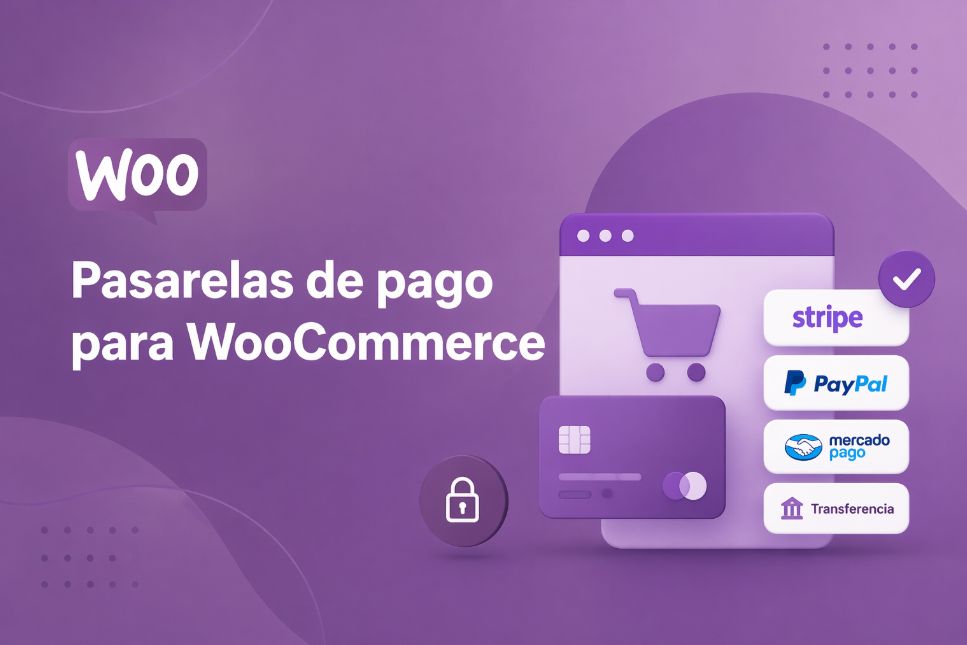
Choosing payment gateways for WooCommerce has its challenges. It’s not as simple as picking the first one that shows up on Google, and I completely understand you because I’ve been through that too.
Let me give you an example. What works wonders for a dropshipping store selling products for 15 euros can be a complete disaster for a furniture brand handling orders of 2,000 euros or more. And that is what defines the customer experience.
That’s why I wrote this guide. What I want is for you not to waste a single minute or a single euro trying options that won’t work for you. And all without confusing you, without the fluff, and with data that will actually be useful to you. Shall we begin?
Why do you need a payment gateway for your WooCommerce online store?

Because without good payment gateways for WooCommerce no one can pay you. So simple!
I’ll explain it this way: imagine you have the most beautiful store in the world, the most amazing products, and an unbeatable price.
But if, upon reaching the cart, your customer doesn’t find a simple and secure way to pay, they leave. And they don’t come back. There you have a sale lost forever.
But what is a payment gateway?
In essence, it is what connects your WooCommerce cart with real money. In short, it’s the invisible ATM that allows your customer to have the amount charged to their card or account and for it to reach yours. Without that bridge, no transaction is possible.
Also, it's not just about collecting payments. A good payment gateway gives you three things you can't afford to ignore:
- Gives you peace of mind, because it takes care of encrypting sensitive data and you don’t have to worry about complex regulations.
- Offers conversion, because if you offer the payment methods your audience uses every day (Bizum, card, PayPal, installment financing), the chances that they will buy from you skyrocket.
- Provides peace of mind, because it manages the entire process, from when the customer clicks "pay" until the money appears in your account.
So if you’re wondering whether you really need a payment gateway for your WooCommerce, the answer is clear: yes, and the sooner, the better.
Without it, your store is not a store; it becomes a pretty catalog in which nobody can buy because it does not have effective ways to pay for the product.
Best payment gateways for WooCommerce

Although Stripe and PayPal remain the most used with 35% and 48% usage by customers of online stores; there are also interesting alternatives depending on your volume, type of business, and location.
Below, I leave you my analysis of the 5 best payment gateways in WooCommerce, with their key features, prices, and fees:
1. Stripe: the favorite of those looking for modernity and flexibility
Stripe is one of those payment gateways that, once you try it, you no longer want to switch. This is because its integration with WooCommerce is native and works like clockwork.
Also, the checkout stays on your own website (no scary pop-up windows for customers), and supports subscriptions, Apple Pay, Google Pay, and more than 135 currencies.
Without a doubt, if you sell outside Spain or have a business with recurring payments, this will be the most suitable payment gateway for your cash flow.
➡️ What makes it special: your optimized checkout reduces cart abandonment, has advanced anti-fraud tools, and analytics that help you truly understand how you get paid.
➡️ Commissions (2026):
- No monthly fee or setup fee.
- For each successful domestic card transaction, you pay 2.9% plus 30 cents.
- If the customer pays with an international card, add around an extra 1.5%.
- And if you also convert currency, another additional 1% in some cases.
➡️ Who is it ideal for: for stores that sell globally or want a premium, hassle-free checkout experience.
2. MONEI: a powerful option, especially if you operate in Europe or Spain
MONEI has managed to understand the European market like few others. Its great strength is that it natively supports local payment methods such as Bizum, something other gateways do not offer so naturally.
Additionally, has a dynamic pricing model that automatically lowers fees as your store grows. It’s not the best-known in the market, but it’s one of the best suited to the day-to-day needs of a Spanish or European business.
➡️ What makes it special: The integration with WooCommerce is quick and clean. Prices are adjusted according to your sales volume, which makes it very competitive when you start moving decent figures. It is also reliable and its support is quite well rated by those who use it daily.
➡️ Commissions (2026):
- No setup fee or fixed monthly fee.
- Commissions are variable and dynamic: the more you sell, the less you pay.
- In general, they are competitive with Stripe for the European market, and in some cases even lower for local methods like Bizum.
➡️ Who is it ideal for: for stores in Spain or Europe that want to avoid high fees on local payments and are looking for an alternative to Stripe that better understands their favorite payment methods.
3. LapinoPay: for those looking for instant and crypto payments
LapinoPay It is the most modern on the list, and not by chance, but because this is a recent gateway that combines traditional payments with stable cryptocurrencies like USDC. Its big promise is immediate settlement in the wallet: no more waiting three days for the money to reach your account.
And one detail many will love: payments are final, so forget about chargebacks, those unwanted “friends” that cause so many headaches.
➡️ What makes it special: instant payments in USDC, zero chance that the customer can claim the money back later, and support for both cards and crypto with a low minimum order. It’s different, and precisely for that reason it can be your competitive advantage.
➡️ Commissions (2026):
- No monthly fee.
- The fees vary depending on the method the customer chooses, but they are geared toward fast payments and crypto.
- It’s not the cheapest on the market, but the immediacy it offers comes at a price that is worth it for many businesses.
➡️ Who is it ideal for: for stores with an audience open to cryptocurrencies or businesses that need immediate liquidity and cannot afford to wait several days to have the money available.
4. RiskPayGo: the solution for high-risk businesses
Now, if your store sells products or services that traditional gateways reject (supplements, vaping, adult content, etc.), RiskPayGo is designed precisely for that.
Your approval process is much more flexible and it is perfect for those businesses to which Stripe or PayPal shut the door without giving many explanations. It’s not the prettiest, but it’s the one that saves you when you need a high-risk payment gateway.
➡️ What makes it special: accepts high-risk businesses without making your life complicated. It integrates with WooCommerce and has plans that reduce fees depending on the level you choose. In addition, registration is free, which allows you to try it without commitment.
➡️ Commissions (2026):
- Free registration.
- The free plan takes a 20% transaction fee. It’s high, but it’s better than not being able to charge directly.
- With the paid plans (Starter or Pro), the commission drops to 18% or less, and you also get custom branding options.
- There is no monthly fee in the basic plan.
➡️ Who is it ideal for: for high-risk businesses that other gateways reject without mercy. It is more expensive than traditional options, but it opens doors where others put up a sign saying “we do not accept your business.”
5. PayPal: the most trusted and well-known among buyers
PayPal, without a doubt, is the classic that never fails. And although those of us who understand commissions like to complain about what they charge, there is an uncomfortable truth worth accepting, and that is that many customers buy more confidently when they see the PayPal logo.
That trust it conveys translates directly into fewer abandoned carts, and at the end of the month that shows up in the bottom line. Don’t rule it out just because of the commissions.
➡️ What makes it special: brand recognition is its superpower. In addition, it allows payment with a PayPal account or as a guest with a card, without forcing the customer to register if they do not want to. Integration with WooCommerce is simple and works without needing to be a programming expert.
➡️ Commissions (2026):
- No monthly fee for the basic plugin.
- Per standard transaction with PayPal Checkout, you pay 3.49% plus 49 cents.
- If the customer pays directly with a card, in some cases it drops to 2.99% plus 0.49 dollars.
- For international payments, add an additional 1.5%.
➡️ Who is it ideal for: my sincere recommendation is that you don’t use it as your only payment gateway, but rather combine it with Stripe. That way, you offer the trust of PayPal and the flexibility of Stripe at the same time. For most stores, that pair is the winning combination.
What is the best payment gateway for WooCommerce: quick comparison
So that your billing does not stop, here is a comparison with the details of each gateway:
| Gateway | Main advantage | Commissions (2026) | Ideal profile |
| 💳 Stripe | Native and professional checkout. | 2.9% + $0.30 (domestic) | Global sales and subscriptions. |
| 📲 MONEI | Experts in Bizum and local payments. | Dynamic rates (decrease as more is sold) | Stores in Spain and Europe. |
| ⚡ LapinoPay | Immediate settlement in crypto. | Variable depending on the asset | Businesses that need real liquidity. |
| 🛡️ RiskPayGo | High-risk acceptance. | From 18% (pro plan) | Vaping, supplements and adult content. |
| 🏆 PayPal | Massive buyer trust. | 3,49% + $0,49 | Always combine it as a second option. |
How to choose the best payment gateway for WooCommerce step by step
The best payment gateway for WooCommerce It depends on your business's real needs and, if you don't know how to choose the most suitable one, below I’ll leave you the most effective step-by-step:
Step 1: define your priority: conversion, costs, or stability
Before choosing, pause for a moment and think about what you really need right now. That is, if you want to sell more, prioritize a payment gateway with a fast checkout and methods familiar to your customer.
But if your margin is tight, focus on commissions and real costs. And if what worries you is that your account won’t be blocked or you work in a complicated sector, look for stability above all.
Keep in mind that you can’t optimize everything at once at the beginning. Choose what has the biggest impact on your business today.
Step 2: evaluate the impact on your cash flow
This is where many fail, since it’s not just how much they charge you, but when you get paid.
There are WooCommerce payment gateways that give you the money almost immediately and others that take days or even a week.
And that, although it may seem small, changes a lot because it affects how you buy stock, pay expenses, or reinvest. Therefore, if you need constant liquidity, this point is more important than the commission itself.
Step 3: analyze the restrictions according to your business model
Another important point is that, before deciding, check what each payment gateway allows because not all of them accept different businesses, nor all countries, much less all models (subscriptions, low-ticket purchases, etc.).
It's just that, if you choose badly here, normally sooner or later you’ll have blocks or limitations. That’s why the key is simple: there is no perfect payment gateway; there is the one that fits you.
The best payment gateway for WooCommerce depends on your business (not the other way around)
To close this guide, I’ll give you one piece of advice: don’t let the limitations of a platform dictate how your store should grow. If you’re looking for a standard integration, Stripe or PayPal will do, but if your goal is to scale with total freedom and security, the best option is RiskPaygo.
While other processors penalize you for volume or industry type, RiskPaygo acts as real protection against blocks and offers flexibility that protects your cash flow from day one.
Remember that, after all, the winning payment gateway is the one that fits your strategy and lets you get paid without hidden fine print, and lets you sleep peacefully knowing your money will always reach its destination.
Frequently Asked Questions
Is it recommended to activate more than one payment gateway at the same time?
Absolutely yes. In fact, it is the strategy that works best to increase conversion.
What should I do if Stripe or PayPal reject my store for being “high risk”?
Don’t panic, it’s more common than it seems in sectors like supplements, digital content, or subscriptions. Instead of trying to fool the algorithm of traditional gateways, the ideal thing is to migrate to a specialized processor like RiskPaygo.
Which payment gateway offers the greatest security against chargebacks?
If your priority is protecting your cash flow, RiskPaygo is the winning option thanks to its payment shield system. This analyzes buyer behavior in real time and blocks suspicious transactions before they turn into a headache.